

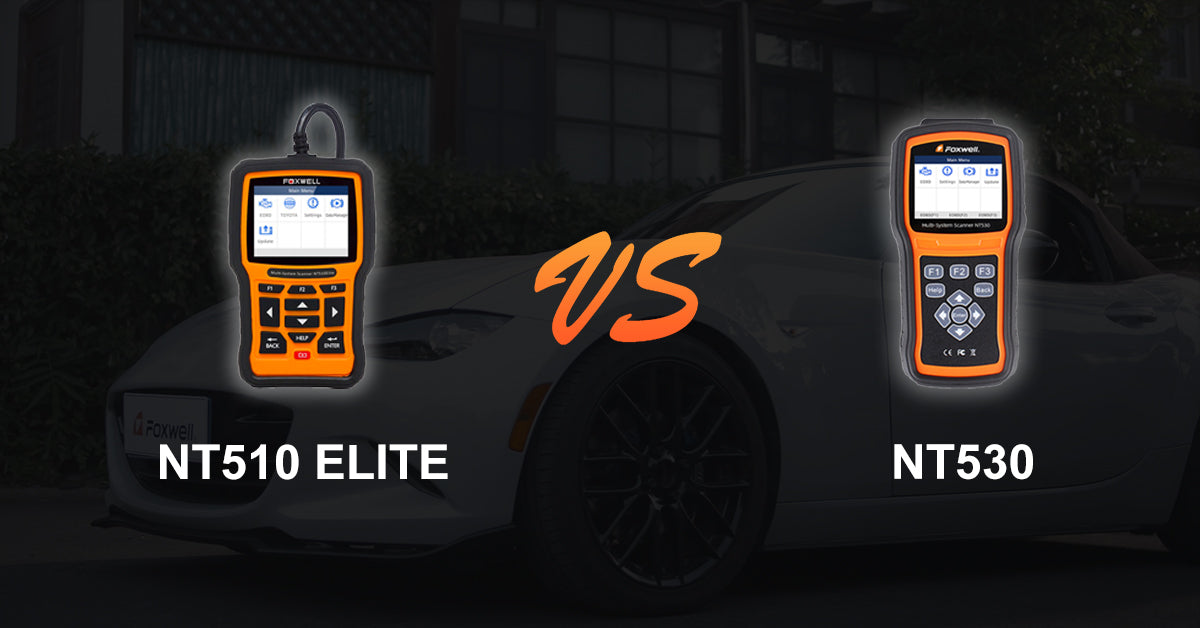
Both Foxwell NT510 Elite and Foxwell NT530 OBD2 Scan Tool are well-received by the market, and also very popular with car owners and DIY enthusiasts. Foxwell NT530 is an upgraded version of the NT510 Elite. However, many users are still confused about the differences between these two similar products. So here in this article, we will compare and explain the NT510 Elite and NT530 in detail.
Similarities between Foxwell NT510 Elite and Foxwell NT530
- (1) Vehicle Compatibility
Both Foxwell NT510 Elite and Foxwell NT530 apply to more than 50 vehicle brands, also support the latest vehicles built in 2022.
- (2) Support Bi-Directional Test & Active Test
Both Foxwell NT510 Elite and Foxwell NT530 are equipped with Bi-Directional controller, which enables output commands to the ECU and monitor the module performance, and its quick feedback informs whether a particular system, module, or subsystem is operating properly.
- (3) Support OE-level Full-System Diagnosis
These OE-level full-system OBD2 diagnostic scanners can access and scan all system, such as Engine, Transmission, Airbag, ABS, ESP, TPMS, Burglar alarm, Gateway, Steering, Radio, AC, and the other systems. You don’t need to purchase any separate diagnostic tools to scan all the available ECU modules, both Foxwell NT510 Elite and NT530 helps you to find car problems by performing a full-system scan quickly and effectively.
- (4) Support 35+ Special Functions
The Foxwell NT510 Elite and NT530 Diagnostic Scanners provides more than 35 reset functions to complete a variety of scheduled maintenance tasks or repairs.
- (5) Support Full OBD Functions
With these Foxwell OBD2 Diagnostic Scanners, you can put an end to the manual inspection for the cars: it helps to correct the Check Engine Light on most OBD2 vehicles quickly.
Differences between Foxwell NT510 Elite and Foxwell NT530

- (1) The NT510 Elite is smaller and lighter than the NT530.
- (2) NT510 Elite adopts silicon button, while Foxwell NT530 adopts integrated keypad. Compared to the NT510 Elite, the keypad on the Foxwell NT530 is easier to press, and more durable.
- (3) The connecting cable with NT510 Elite is built into the scanner, while NT530 comes with a disassemble cable, which makes the NT530 is a convenient and better choice for limited storage space in the vehicle.
- (4) Compare to the NT510 Elite, the NT530 comes with a longer connecting cable, which makes it flexible for you to sit in the driver's seat and read the device while your vehicle is running.
- (5) Official Price & Purchase: The Foxwell NT510 Elite is available at an official price of $159 USD , while the Foxwell NT530 is $223 USD (depending on the selected vehicle software package). You can check the latest pricing and place an order on the official Foxwell website.
Real User Feedback & Experience
Here’s a visual summary of real user experiences for Foxwell NT510 Elite and NT530, based on reviews from offical sites and Amazon. This table highlights usability, features, pros, cons, and average ratings:
| Feature / Aspect | NT510 Elite | NT530 |
|---|---|---|
| Ease of Use | Lightweight, easy-to-navigate menus | Larger device, more durable keypad, intuitive operation |
| Bi-Directional / Active Test | Reliable for supported systems; SRS & ABS testing | Responsive, full bi-directional support; faster than NT510 |
| Software Updates | Free lifetime updates; older PCB; Mac users require PC | Free lifetime updates; faster processing; built-in Wi-Fi for easy updates |
| Special Functions | Good for BMW/Honda diagnostics; limited coding options | Supports battery registration, brake release, TPMS, oil resets, and more |
| Pros |
|
|
| Cons |
|
|
| Average Rating | ★★★★☆ 4.5 / 5 | ★★★★☆ 4.6 / 5 |
Tip:
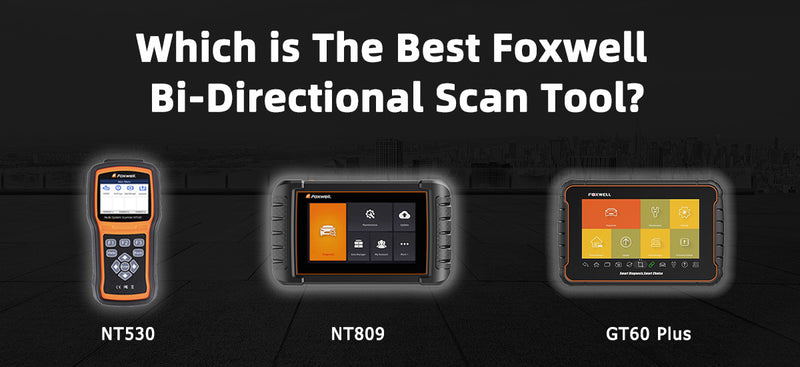
While this comparison focuses on NT510 and NT530, advanced users or professional mechanics may consider the NT710 for dealer-level diagnostics and support for over 3000 active tests.
Summary
In conclusion, the NT530 is the upgraded version of the NT510 Elite. The NT510 Elite and NT530 have the same coverages and features, but NT530 has been upgraded in quality and hardware design, which makes it more user-friendly, convenient to store and operate. Get the NT530 here: https://www.foxwelldiag.com/nt530
FAQ:
1. What’s the difference between 510 and NT530 & NT510 Elite?
NT510 scanners has been permanently shut down, the corresponding software system has also stopped updating in 2020. In addition, since 510 scanner was adopted with old PCB, the processing speed is slower than NT530 & NT510 Elite.
2. Is the NT530 compatible with my car?
You can also leave your vehicle info in the comment, we will check it for you ASAP.
3. Do I have to pay extra fee for NT530 upgrade?
Foxwell provides life-time free upgrade for NT530, so no extra cost is required for upgrade.
4. Can I use NT530 without registration?
If you ordered the NT530 with pre-installed software, you can use it directly without registration when you receive the NT530. Otherwise, you need a Windows computer to register, click here for registration guidelines. If it is inconvenient to register by yourself, you can tell us the vehicle make you need when you place the order, we can help you install the software before shipping.
5. Do I need to buy extra adapter?
NT530 comes with diagnostic cable. If your vehicle is equipped with standard OBD2 port, you don’t need to buy extra adapter. Generally, US-based cars since 1996, EU-based cars since 2001, and Asian-based cars since 2007, are equipped with standard OBD2 port.
6. How can I activate, register, and add another software for my Foxwell NT530 or NT510 Elite?
- Download FoxAssist: Download the FoxAssist application on your computer through technical support website, which includes the update client, update guides, and update files.
- Register / Log In: If you don’t have a Foxwell account, register first. If you already have an account, simply log in.
- Connect Your Scanner: Use a USB cable to connect the NT530 (or NT510 Elite) to your computer. On the scanner, choose Update and press Enter.
- Activate the Scanner: On FoxAssist, select Activate. The application will automatically read your scanner’s serial number—verify it matches the number on the back of the device. Click Activate to complete.
- Download Software Updates: Once activated, choose Download and click Update. After the process completes, your scanner is ready to use.
You can visit our guide about how to activate and register.
7. What is the Vehicle Compatibility List for NT510 Elite and NT530?
Abarth, Acura, Alfa, AstonMartin, Audi, Benz, BMW, Bugatti, Chrysler, Citroen, Dacia, Dodge, Ferrari, Fiat, Ford, Fuso, GM, Honda, Hyundai, Infiniti, Isuzu, Jaguar, Jeep, Kia, Lamborghini, Lancia, LAND ROVER, Lexus, Maserati, Maybach, Mazda, MINI, Mitsubishi, Nissan, Opel, Peugeot, Porsche, Renault, Rolls-Royce, Romeo, Saab, Seat, Sicon, Skoda, Smart, Sprinter, Subaru, Suzuki, Toyota, Vauxhall, Volvo, VW, Tata, Tesla.
8. What is the Special Functions List for NT510 Elite and NT530?
ABS Bleeding, AFR Adaptation, Airbag Reset, Battery Registration Test, Change Tire Size, Clutch Adaptation, Continuously Variable Transmission, Diesel Particulate Filter, Exhaust-gas Recirculation Reset, Electrical Park Brake, Evaporative Test/Smog Test, Fuelpressure, Gearlearn, Gravity Sensor, Headlamp, Injector, Language Change, Odometer, ODS Initialization, Oil Reset, OPDS Initialization, Oxygen Sensor Trst, Pump Fuel Prime, Powerbalance, Steering Assistance System, Seat Match, Suspension, TCM Oil Reset, Throttle Position Sensor, Transmission Adaption, Turbo, Windows Door, Tire Pressure Monitoring System, etc.

Leave a comment
This site is protected by hCaptcha and the hCaptcha Privacy Policy and Terms of Service apply.