

Working as a mobile mechanic means dealing with different vehicles, unfamiliar repair locations, and limited equipment.
One day, you're diagnosing an ABS warning light in a customer's driveway. The next, you're troubleshooting an electrical fault at a fleet yard. Many mobile mechanics also run independent repair shops and offer on-site services alongside their regular workshop jobs.
In either case, you need a diagnostic scanner that can handle different vehicle systems without constantly switching tools or returning to the shop.
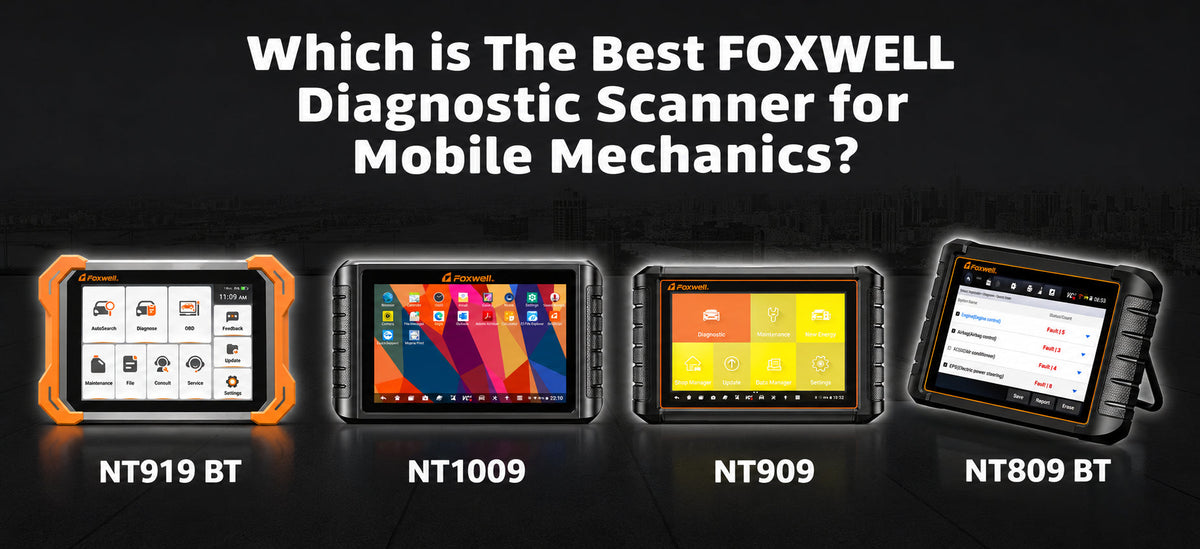
So, what should you look for in the best diagnostic scanner for mobile mechanics? Let's break down the key considerations and compare four FOXWELL models: NT919 BT, NT1009, NT909, and NT809 BT.
What Matters Most When Choosing a Scan Tool for Mobile Mechanics?
A professional scan tool should do more than read fault codes. For mobile repairs, the real question is whether it helps you diagnose problems and complete supported procedures on-site.
Here are five things worth considering.
1.Vehicle Coverage and Compatibility
Mobile mechanics rarely work on just one brand. A typical week might involve Ford, Toyota, BMW, Chevrolet, and other manufacturers.
A multi-brand scanner reduces the need to carry separate tools, but the advertised brand count isn't everything.
Check whether the scanner supports:
- Full-system diagnostics: Engine, ABS, SRS, transmission, and other electronic modules.
- Newer vehicle protocols: CAN FD and DoIP, where required.
- Specific repair functions: Active tests, service resets, adaptations, and coding.
Supporting a vehicle brand doesn't necessarily mean every function works on every model.
2. Wireless Connectivity and Portability
When working outside a traditional workshop, you often need to move between the driver's seat, engine bay, and other areas of the vehicle.
A Bluetooth VCI lets you operate the scanner away from the OBD2 port.
For example, when testing a cooling fan, you can command the fan through a supported active test while observing its response under the hood.
Screen size matters, too. A compact tablet is easier to carry, while a larger display is more comfortable when reviewing live data or complicated diagnostic information.
3. Bidirectional Control and Service Functions
Reading a fault code tells you where to investigate, not necessarily which part has failed.
With bidirectional control, you can command supported vehicle components and observe their responses.
Common examples include:
- Activating cooling fans or fuel pumps
- Testing ABS pumps and selected actuators
- Operating windows, door locks, and lights
Service functions are equally important. After completing a repair, you may need battery registration, ABS bleeding, EPB service, or a calibration procedure.
Having these functions available can help you complete more of the diagnostic and service process during a single visit.
4. ECU Coding and Advanced Diagnostics
Not every mobile mechanic needs ECU coding.
However, if your work involves electronic module replacement, vehicle configuration, or supported adaptations, coding capabilities may expand the services you can offer.
For more complex electrical problems, features like Topology Mapping can also help visualize module communication and identify areas requiring further investigation.
5. Hardware Performance and Software Updates
If you're scanning several vehicles a day, screen readability, battery capacity, and a responsive interface become important.
But more RAM doesn't automatically mean faster vehicle diagnostics. Software optimization, communication efficiency, and vehicle systems also affect performance.
Don't overlook software updates. For a professional tool used over several years, ongoing update costs can be just as relevant as the initial purchase price.
Four FOXWELL Diagnostic Scanners for Mobile Mechanics
1. FOXWELL NT919 BT — Best Overall for Mobile Mechanics
For technicians who want one primary diagnostic tool to handle a wide variety of jobs, the FOXWELL NT919 BT is the strongest all-around choice in this comparison.
It combines full-system diagnostics, 3,000+ advertised active tests, 34+ maintenance services, and supported ECU coding in an 8-inch wireless tablet.
Why it works for mobile repairs
Imagine arriving at a customer's location to investigate multiple warning lights.
You can begin with a full-system scan, review relevant fault codes and live data, and use supported active tests to investigate component operation.
If the repair requires battery registration, EPB service, or ABS bleeding, the NT919 BT may also support those procedures on the compatible vehicle.
Its 140+ supported vehicle brands, CAN FD/DoIP compatibility, and Bluetooth 5.0 connection make it a practical option for mixed-brand work.
Key advantages:
- 3,000+ advertised active tests and 34+ service functions
- ECU coding and offline programming for supported vehicles
- 8-inch touchscreen, 4GB RAM, and 64GB storage
- Lifetime free software updates
The lifetime update policy is particularly valuable for independent mechanics who want predictable long-term equipment costs.
Best for: Full-time mobile mechanics, independent repair shops offering on-site services, and technicians who regularly work across multiple vehicle brands.
|
|
▶View FOXWELL NT919 BT ↗ |

2. FOXWELL NT1009 — Best for Complex Electrical and Network Diagnostics
If you regularly deal with multiple module faults or vehicle communication problems, the FOXWELL NT1009 is worth considering.
Its biggest distinction is Topology Mapping.
For example, you're called out to diagnose a vehicle with several warning lights and multiple communication-related fault codes. Instead of checking each module separately, you can use Topology Mapping to see which supported modules are reporting communication problems and decide where to investigate first.
It won't replace wiring checks or electrical testing, but it provides a clearer overview of complicated problems.
Key advantages:
- Topology Mapping for supported vehicle networks
- Full-system diagnostics and bidirectional control
- ECU coding, offline programming, and 38+ service functions
- 10.1-inch touchscreen and 8000mAh battery
The larger display is useful for reviewing topology diagrams and diagnostic data, although it comes with a bigger tablet format.
Best for: Mobile technicians specializing in electrical diagnostics and independent workshops that also provide on-site repair services.
The NT1009 includes three years of free software updates.
 |
▶View FOXWELL NT1009 ↗ |
3. FOXWELL NT909 — Best for Advanced Diagnostics and ECU Coding
The FOXWELL NT909 is a practical alternative for mechanics who need professional diagnostic functions but don't consider Topology Mapping essential.
It supports full-system diagnostics, 1,100+ advertised active tests, ECU coding, and V.A.G Guided Functions for compatible vehicles.
For example, certain module replacements may require coding or adaptation afterward. On supported vehicles, the NT909 can help complete selected procedures without relying on another diagnostic device.
Key advantages:
- 1,100+ advertised active tests
- ECU coding and V.A.G Guided Functions
- 30+ service functions
- 8-inch display and CAN FD/DoIP support
The NT909 is worth considering if its diagnostic functions and ECU coding capabilities already cover your regular jobs, especially when it comes at a more attractive price. However, if you want broader advertised active-test coverage and lifetime free software updates, the NT919 BT may offer better long-term value.
The NT909 includes three years of free updates.
Best for: Independent mechanics who regularly perform electronic system diagnostics, service procedures, and supported ECU coding.
|
|
▶ View FOXWELL NT909 ↗ |

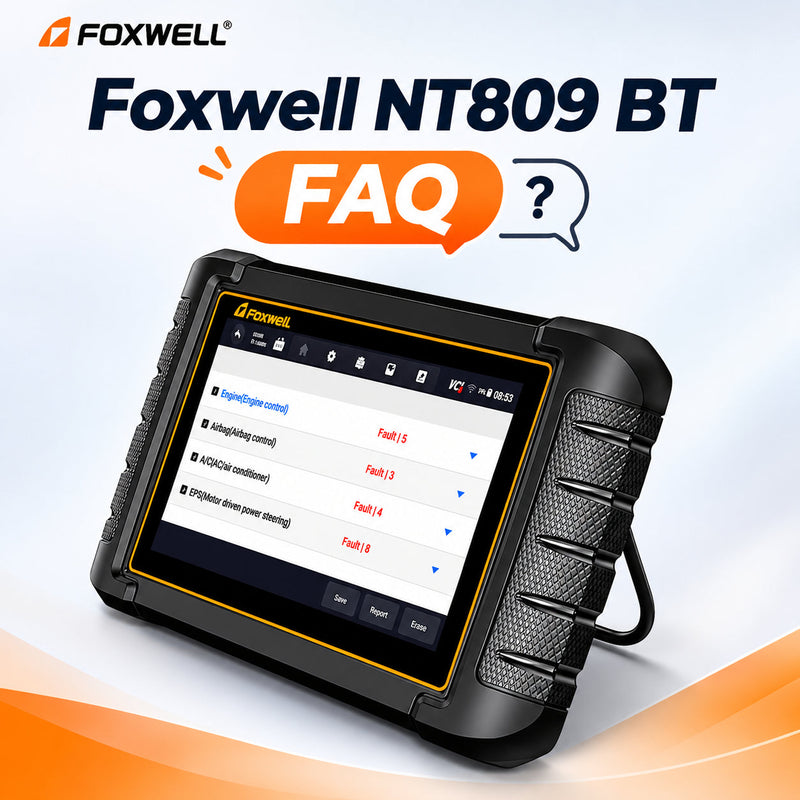
4. FOXWELL NT809 BT — Best for Everyday Mobile Diagnostics
Not every mobile mechanic needs advanced ECU coding or network visualization.
If your daily work mainly involves warning lights, routine maintenance, and common component testing, the FOXWELL NT809 BT may be sufficient.
It combines Bluetooth wireless operation with full-system diagnostics, bidirectional control, and 30+ service functions.
For example, when investigating an ABS warning light, you can retrieve fault information, examine supported live data, and perform available active tests to help narrow down the problem.
Key advantages:
- Full-system diagnostics and bidirectional testing
- 30+ maintenance services, including EPB, ABS bleeding, SAS calibration, and battery matching
- Compact 7-inch touchscreen with Bluetooth VCI
- Three years of free software updates
The NT809 BT also supports injector coding on compatible vehicles, although this is different from the broader ECU coding capabilities of the higher-level models.
Best for: Technicians starting a mobile diagnostic business, mechanics focused on routine repairs, or workshops needing an additional scanner.
|
|
▶View FOXWELL NT809 BT ↗ |

FOXWELL NT919 BT vs. NT1009 vs. NT909 vs. NT809 BT: Quick Comparison
| Feature | NT919 BT | NT1009 | NT909 | NT809 BT |
|---|---|---|---|---|
| Screen | 8" | 10.1" | 8" | 7" |
| Wireless VCI | Yes | Yes | Yes | Yes |
| Full-System Diagnostics | Yes | Yes | Yes | Yes |
| Bidirectional Control | Yes | Yes | Yes | Yes |
| ECU Coding | Yes | Yes | Yes | Injector Coding Only |
| Topology Mapping | No | Yes | No | No |
| Free Software Updates | Lifetime | 3 years | 3 years | 3 years |
Diagnostic functions and vehicle coverage vary by make, model, year, and system. Confirm compatibility before purchasing.
Which FOXWELL Scanner Fits Your Mobile Repair Business?
The best choice depends on the type of work you handle most frequently.
| Your Daily Work | Recommended Scanner | Main Advantage |
|---|---|---|
| Mixed-brand diagnostics, active tests, and coding | NT919 BT | Balanced professional features and lifetime updates |
| Complex electrical and network troubleshooting | NT1009 | Topology Mapping and larger display |
| System diagnostics and supported ECU coding | NT909 | Advanced functions without prioritizing topology |
| Routine diagnostics and maintenance | NT809 BT | Essential professional functions and wireless convenience |
All four scanners support full-system diagnostics and bidirectional control, but their additional capabilities and hardware make them better suited to different workflows.
How to Choose the Right Scanner Without Overspending
More functions don't always mean a better purchase.
Think about the jobs you regularly perform and where your current equipment falls short.
- Choose NT919 BT if you want one versatile tool for mixed-brand diagnostics, active testing, coding, and long-term use.
- Choose NT1009 if complex electrical and communication faults are a significant part of your business.
- Choose NT909 if you need advanced diagnostics and coding but don't prioritize Topology Mapping.
- Choose NT809 BT if most of your work involves routine diagnostics, maintenance, and active testing.
Before buying, confirm your most common vehicle models and the exact procedures you need. A scanner that supports your actual workload is more useful than one with a longer feature list you rarely use.
Final Verdict: Which FOXWELL Scanner Should You Buy?
For most professional mobile mechanics, the FOXWELL NT919 BT offers the best overall balance of diagnostic capability, portability, and long-term software value.
The NT1009 makes more sense for complex electrical and network diagnostics, particularly for technicians who work both in a shop and on-site.
The NT909 is a capable option for advanced system diagnostics and ECU coding, while the NT809 BT provides essential professional functions for everyday repair work.
Ultimately, the right scanner isn't necessarily the one with the most features. It's the one that supports the vehicles you service and the jobs you need to complete.
FAQs
1. What Scan Tool Do Mobile Mechanics Use?
Mobile mechanics usually use multi-brand scanners with full-system diagnostics, bidirectional control, and service functions. The FOXWELL NT919 BT is a good all-around choice for different repair jobs, while the NT1009 is worth considering for more complex electrical and vehicle network diagnostics.
2. Can FOXWELL Scanners Work Without Wi-Fi?
Yes. Once the scanner is activated and the required software is installed, most diagnostic functions can work without Wi-Fi. You'll still need an internet connection for software updates and certain online or security-related functions.
3. Can I Use My Scanner After Updates Expire?
Yes. The NT1009, NT909, and NT809 BT can still run their installed diagnostic software after the three-year free update period ends. You only need to renew if you want to receive future software updates. The NT919 BT includes lifetime free software updates.

Leave a comment
This site is protected by hCaptcha and the hCaptcha Privacy Policy and Terms of Service apply.