

If you’ve ever felt your BMW’s transmission start to hesitate, shift roughly, or respond sluggishly, you know how frustrating it can be. You might assume something’s seriously wrong, but in many cases, a simple fix can make a world of difference.
Resetting your adaptive transmission can take just 30 seconds, and it could smooth out your shifts and restore that responsive feel you love.
In this article, we’ll walk you through how to reset your transmission, when it’s necessary, and how using an OBD2 scanner like the Foxwell NT809BT can help diagnose deeper transmission issues or other underlying problems.
Why Resetting Your BMW’s Adaptive Transmission is Important
First off, let’s understand why your BMW’s transmission might need a reset. BMW vehicles, especially newer models like the 2014 BMW 750 X, come with adaptive transmissions.
These transmissions are designed to “learn” your driving habits over time and adjust shift patterns to optimize performance and fuel efficiency.
However, over time, the transmission might adapt to bad driving habits or inefficient patterns, resulting in rough shifts or hesitation when you accelerate.
By resetting the adaptive transmission, you’re giving your car a chance to forget its previous "learning" and start fresh, allowing the system to better adjust to your current driving style.
It’s like rebooting a computer to clear out any unwanted clutter and start with a clean slate.
Transmission Reset vs Adaptation Reset – What’s the Difference?
Many drivers confuse these two procedures, but they are very different.
| Throttle Pedal Reset | Tool-Based Adaptation Reset |
|---|---|
| A soft electronic reset | A full transmission relearn reset |
| May clear temporary shift behavior | Clears stored clutch & shift adaptation data |
| Does not erase deep TCM learning | Resets long-term learned values |
| Useful for minor drivability issues | Needed after transmission service or fluid change |
| No tools required | Requires a professional diagnostic scanner |
In simple terms:
The pedal reset is like restarting a phone app.
An adaptation reset is like resetting system settings.
If the transmission has been serviced, repaired, or had fluid replaced, the adaptation reset is the correct procedure.
Why Some BMW Technicians Say the Pedal Reset Doesn’t Work
Many BMW owners online report smoother shifting after performing the pedal reset procedure. However, not all professionals agree that this method actually resets the transmission.
In BMW owner communities and technician discussions, experienced BMW technicians have pointed out that:
- The pedal procedure is more likely to affect throttle or engine adaptations, not true transmission clutch adaptations
- There is no official BMW service documentation confirming that pressing the accelerator resets transmission adaptations
- A proper transmission adaptation reset requires ISTA or a professional bi-directional scan tool
Some technicians also warn that resetting adaptations unnecessarily on high-mileage transmissions may temporarily change shift feel, but it does not repair worn clutch packs or mechanical wear. In many cases, rough shifting is instead related to aging transmission fluid or mechanical condition.
This is why some drivers report improvement, while others see no change — the pedal method may influence engine response, but true transmission learning values remain stored unless cleared with diagnostic software.
Source: BMW owner and technician discussions in reddit.
Step-by-Step Guide to Reset Your BMW's Transmission
Here’s how you can reset your BMW's transmission in just 30 seconds:
Insert the key into the key fob slot (if applicable) but don’t press the brake pedal.
Press the engine start button ONCE so the car's electronics start up. You’ll notice the engine light and other dashboard indicators come on, but the engine itself stays off.
Press and hold the gas pedal all the way down until you feel a slight click. Keep it pressed in this position.
Hold this position for 25 to 30 seconds. After this time, release the gas pedal and turn off the car’s electronics.
Restart the car and take it for a test drive. You should notice a much smoother, more responsive transmission.
Does This BMW Transmission Reset Work on All Models?
The well-known BMW “throttle pedal transmission reset” method does not work the same way on every BMW model. Its effectiveness depends on the vehicle’s generation and transmission control software.
Here’s how it generally breaks down:
| Category | Works with Basic Soft Reset | Requires Diagnostic Tool |
|---|---|---|
| Applicable BMW Models | E46, E90, E60 Older X3 generations X5 (E70 and earlier) |
F10, G30 Newer X3/X5 generations Vehicles with 8HP ZF transmissions |
| Reset Method | Ignition + throttle pedal procedure (throttle pedal transmission reset) | TCM-based adaptation reset via a professional diagnostic scanner |
| Effect & Applicable Problems | Clears temporary adaptive shift behavior; relieves slight shift hesitation, minor jerkiness, delayed throttle response Note: Only a soft adaptation refresh, not a full transmission relearn |
Achieves a full transmission adaptation reset for advanced transmission control modules The pedal trick alone cannot complete the full reset |
Key Takeaway
The pedal method is best seen as a basic reset attempt, not a guaranteed fix.
If the vehicle still shifts poorly after the reset, a tool-based adaptation reset is usually required.
Real-World BMW Owner Feedback
Owners of BMWs equipped with the ZF 8-speed transmission (common in F15, F10, G30 and newer platforms) have frequently reported that the throttle reset procedure does not produce consistent results.
In discussions among BMW owners on enthusiast forums such as Bimmerpost (F15 section), some drivers noted slight temporary improvement, while others reported no noticeable change, especially on vehicles using newer transmission control logic.
In contrast, BMW dealers and experienced technicians typically perform a transmission adaptation reset using ISTA or a professional diagnostic scanner, which directly clears learned clutch and shift values stored in the TCM.
This explains why some drivers feel improvement after the pedal method, while others experience no change.
Source: BMW owner discussions on Bimmerpost F15 forum thread regarding transmission reset effectiveness.
Common Signs Your Transmission Needs a Reset
You might be wondering how to know when your transmission needs a reset. Here are some common signs:
- Rough shifting: Your car changes gears in a jerky, unsteady manner.
- Hesitation on acceleration: There’s a slight delay between when you press the gas and when the car responds.
- Stuttering or lurching: Your vehicle feels like it’s struggling to shift, especially when you accelerate quickly.
- Inconsistent power delivery: Your car’s performance feels unpredictable, especially when trying to speed up.
If you experience any of these issues, a quick transmission reset could make a big difference.
Will This Fix “Transmission Malfunction” or Failsafe Mode?
Usually no — a pedal reset will NOT resolve transmission malfunction/failsafe mode warnings.
When You See These Warnings on the Dashboard:
- Transmission Malfunction
- Gearbox Fault
- Failsafe Program
- Warning lights or limp mode
| Action | Will It Fix the Issue? |
|---|---|
| Pedal reset alone | ❌ No — only hides symptoms temporarily, does not fix root cause |
| Diagnostic scan | ✅ Required — fault codes in the TCM must be identified first |
Common Root Causes of These Warnings:
- Solenoid issues
- Mechatronic faults
- Low or contaminated transmission fluid
- Electrical connector problems
When a Reset Isn’t Enough — Here’s Where a Diagnostic Scanner Helps
If the pedal reset didn’t change how your BMW shifts, the next step isn’t guessing — it’s checking what the transmission control system is actually seeing.
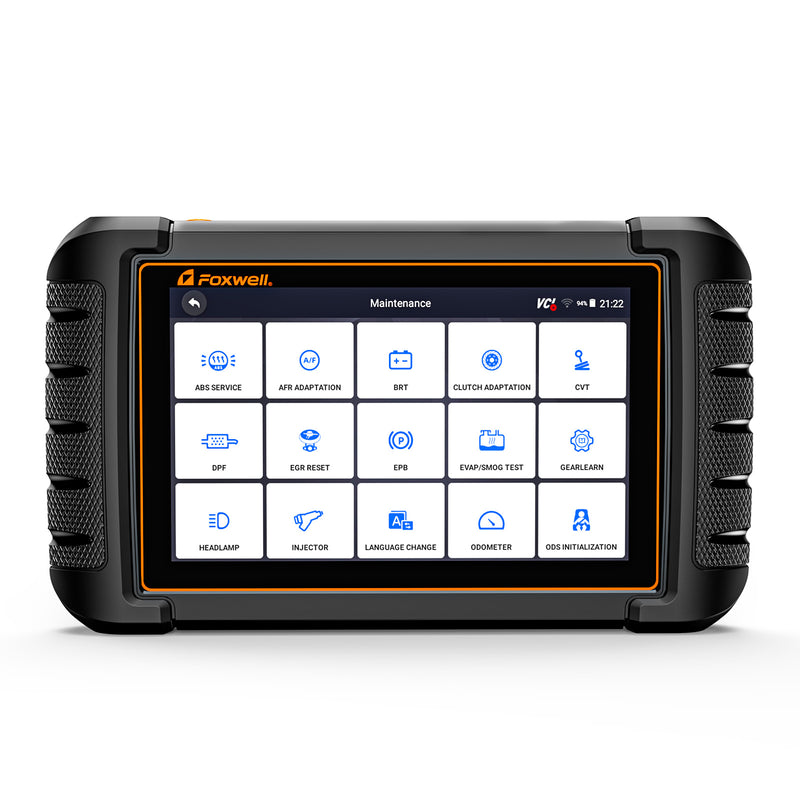
A professional Bluetooth scanner like the Foxwell NT809BT is useful in this situation because it lets you:
- Read TCM and transmission-related fault codes that basic OBD readers miss
- View live transmission data such as input/output speed, gear commands, temperature, and shift behavior signals
- Run bi-directional active tests to verify if sensors and actuators respond correctly
- Access Transmission Adaptation / Gear Learn functions (availability varies by model)
- Scan all vehicle systems, helping rule out engine, ABS, or sensor issues that can mimic transmission problems
Instead of assuming the gearbox itself is failing, this helps determine whether the issue is electronic control, adaptation data, or something mechanical — saving unnecessary repair costs.

Other Benefits of Using an OBD2 Scanner for Vehicle Maintenance
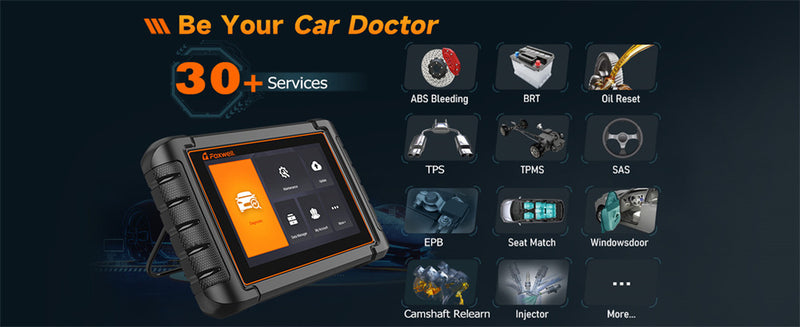
Aside from transmission diagnostics, the Foxwell NT809BT is invaluable for overall vehicle maintenance. Whether it’s engine misfires, sensor failures, or even battery health, an OBD2 scanner gives you detailed insights into your car’s health.
This is particularly useful for high-mileage vehicles like the BMW 750 X, which, as it ages, will benefit from regular diagnostics.
Some of the key benefits include:
- Accurate diagnostics: Avoid guesswork and get real-time data to quickly identify the problem.
- Resetting warning lights: After fixing an issue, the scanner allows you to reset warning lights like "check engine."
- Preventative maintenance: Catch potential issues early before they turn into expensive repairs.
For DIY enthusiasts or professional mechanics, a tool like the NT809BT saves both time and money in the long run.
Reset didn’t fix your BMW shifting?
- Read transmission & TCM fault codes most basic scanners miss
- Access Transmission Adaptation / Gear Learn + live shift data
Conclusion
Maintaining a high-performance car like a BMW doesn’t always mean big, expensive repairs.
Sometimes, the smallest tweaks—like resetting your adaptive transmission—can completely transform how your car drives.
And if you’re looking for deeper diagnostics, pairing that reset with an OBD2 scanner like the Foxwell NT809BT can give you even greater control over your vehicle’s health.
Whether it’s performing a quick transmission reset or using the NT809BT to get a detailed look under the hood, these tools are invaluable for keeping your car running smoothly for years to come.
So if your BMW isn’t driving quite like it used to, don’t ignore it. These quick fixes might just be the solution you’ve been looking for.
FAQs
Will disconnecting battery reset transmission?
Disconnecting the battery may reset some systems, but it doesn’t always effectively reset the transmission. For a proper reset, follow the specific adaptive transmission reset procedure.
How long does it take for a transmission to relearn?
It typically takes about 50 to 100 miles of driving for the transmission to fully relearn and adapt to your driving style after a reset.
How do I manually reset my car computer?
To manually reset your car’s computer, you can disconnect the battery for 10-15 minutes. However, for more specific resets, such as the transmission, follow your vehicle’s unique reset procedure, like holding the gas pedal down for 30 seconds as described in the article.
Why did my BMW transmission reset not work?
Possible reasons include:
- The vehicle requires a tool-based adaptation reset
- A mechanical issue exists (worn clutches, valve body problems)
- Transmission fluid condition is poor
- Fault codes are still stored in the TCM
The pedal reset only addresses software behavior, not hardware faults.
Do I need a scan tool to reset BMW transmission adaptation?
Yes, for a full adaptation reset.
Modern BMW transmissions store learned clutch pressure and shift timing values that can only be cleared using a bi-directional diagnostic scanner.
How long does transmission relearning take?
After a reset, the transmission typically relearns over:
- 50–150 miles of mixed driving
- Various throttle inputs
- Different speeds and load conditions
During this period, shifting may feel slightly different.
Does resetting the transmission delete fault codes?
No.
A basic transmission reset does not erase stored fault codes. Only a scan tool can clear diagnostic trouble codes (DTCs).
What should I do when my BMW says “Transmission Malfunction”?
Immediate Steps to Take
- Transmission fluid temperature sensor malfunctions
- Solenoid faults
- Clutch pressure adaptation limit errors
- Mechatronics unit issues


Leave a comment
This site is protected by hCaptcha and the hCaptcha Privacy Policy and Terms of Service apply.