

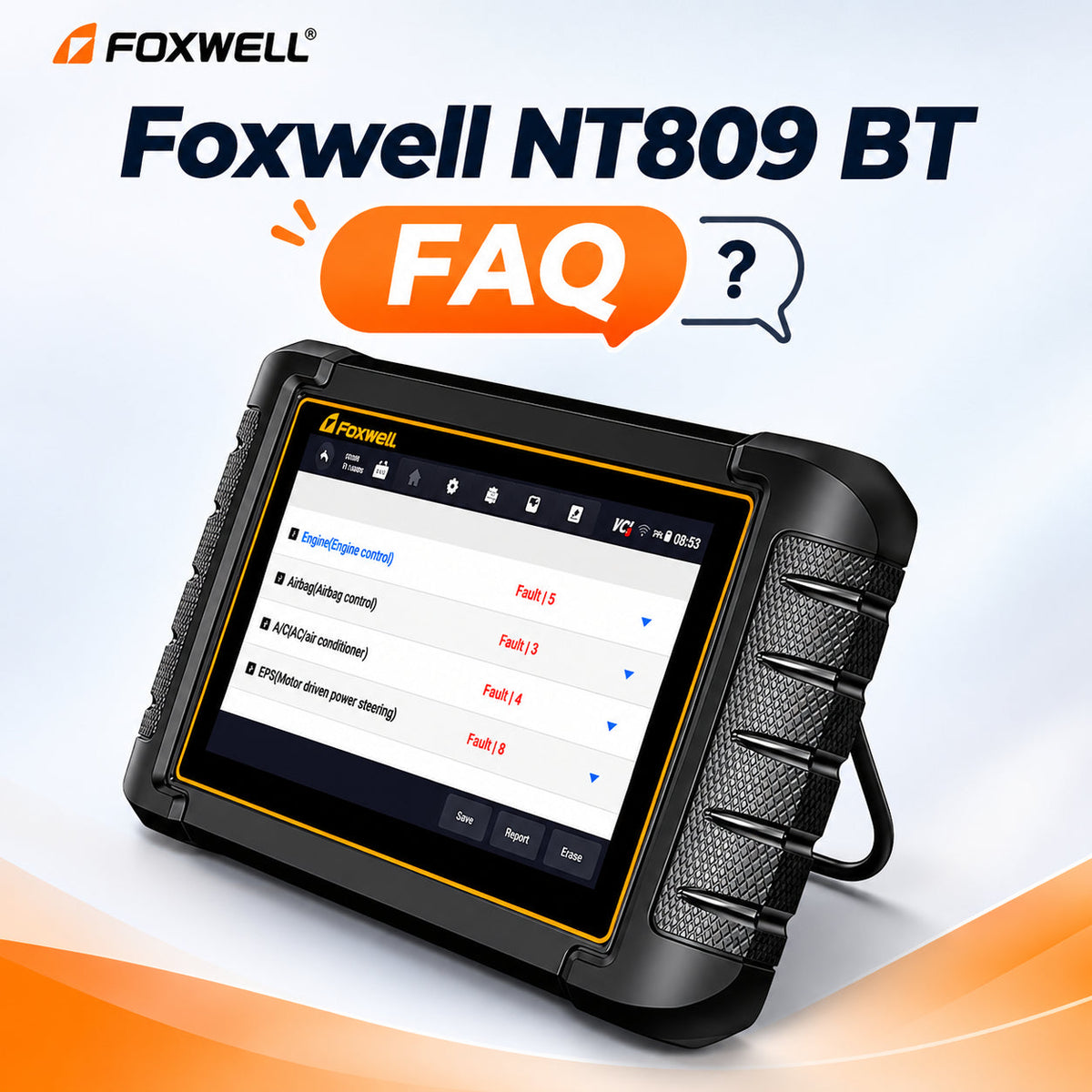
Still curious about the Foxwell NT809 BT? Here are the answers to all the questions you want to know.
Product Overview & Value
1. Is the Foxwell NT809 BT suitable for everyday car owners and DIY mechanics?
Yes. The NT809 BT is suitable for everyday car owners who want clearer information before approving a repair, as well as experienced DIYers, professional mechanics, and independent workshops that need more than a basic OBD2 code reader.
- Everyday car owners: Scan warning lights, see which vehicle system reported a fault, and save a diagnostic report before discussing the next step with a repair shop.
- DIY maintenance: Use fault codes, live data, supported service procedures, and active tests to narrow down a problem before buying parts.
- Workshop use: Run full-system scans and move around the vehicle with the Bluetooth VCI during supported tests.
Note: For ECU flashing, tuning, or key programming, choose a tool that explicitly supports the required task.
2. Can the Foxwell NT809 BT help save diagnostic time and reduce unnecessary repair costs?
Yes, when it is used to narrow down a fault before parts are ordered or paid repairs are approved. It cannot guarantee a specific saving, but it can reduce guesswork for car owners, DIYers, and independent workshops.
- Start faster: Run a full-system scan and save one report instead of checking modules one by one.
- Test before replacing: Compare codes with live data and use supported active tests to see whether a component responds before buying a part.
- Verify the repair: Record the original results, complete the repair, clear supported codes, and rescan to check what returns.
Note: Savings depend on the vehicle, fault, operator knowledge, and function coverage. The scanner supports diagnosis; it does not replace service information or mechanical and electrical testing.
Product Comparisons
1. What is the difference between the Foxwell NT809, NT809 BT, and NT809 TS?
The three models share a similar Android diagnostic platform, but their vehicle connection and TPMS capabilities differ.
- NT809: Uses a cable between the scanner and the vehicle.
- NT809 BT: Uses a Bluetooth VCI for wireless diagnostics and offers basic supported TPMS diagnosis or OBD relearn procedures.
- NT809 TS: Adds advanced TPMS work, including supported sensor activation and programming of FOXWELL T10 sensors.
Note:Choose the NT809 BT when wireless diagnostics matters but full TPMS sensor service is not required. Always verify vehicle- and function-specific coverage.
2. What is the difference between the Foxwell NT710 and NT809 BT?
Both tools provide full-system diagnostics, supported bi-directional tests, and common service procedures, but they are designed for different types of users.
| Feature | FOXWELL NT710 | FOXWELL NT809 BT |
|---|---|---|
| Vehicle Coverage | One selected brand; additional software available separately | Broad multi-brand coverage |
| Connection | Wired | Bluetooth VCI |
| Screen | 5.5 inches | 7 inches |
| Bidirectional Tests | Supported | Supported |
| Software Updates | Lifetime free updates | 3 years of free updates |
| Best For | Single-brand DIY diagnostics | Multi-brand and wireless diagnostics |
Vehicle Compatibility & Coverage
1. What vehicles does Foxwell NT809 BT work with?
The FOXWELL NT809 BT supports a wide range of 1996 and newer OBD2 vehicles and covers 150+ vehicle brands. However, diagnostic systems, active tests, service functions, and other features vary by vehicle make, model, year, ECU, and procedure. Check the specific vehicle coverage before purchase.
- American: Ford, GM, Chrysler, and Jeep.
- European: BMW, Mercedes-Benz, Volkswagen, Audi, Volvo, and Land Rover.
- Asian: Toyota, Honda, Nissan, Hyundai, Kia, Lexus, and Mazda.
- AutoVIN: Automatically identifies supported vehicles to simplify diagnostic setup.
Note: OBD2 access, full-system diagnostics, active tests, and service resets vary by vehicle. Confirm the exact year, model, and function before buying.
2. How do I confirm my specific vehicle’s supported functions before buying?
Check compatibility for the exact function you need using either method:
- Email support: Send NT809 BT, your vehicle’s year, make, model, engine, VIN, and required task to support@foxwelldiag.com.
- Online coverage search: Visit the Diagnostic Coverage List on foxwelldiag.com and search by vehicle or product model.
Note: Name the specific procedure, such as ABS bleeding, EPB service, battery registration, or a cooling-fan active test.
3. Does the Foxwell NT809 BT need an adapter for older vehicles?
Some older vehicles use a manufacturer-specific diagnostic connector and may require an additional adapter. Before buying, confirm both the correct adapter and the NT809 BT’s software coverage for your vehicle.
Note: An adapter provides a physical connection; it does not add vehicle software or guarantee access to every module. If you are unsure, send support@foxwelldiag.com your vehicle’s year, make, model, VIN, and a photo of the diagnostic connector.
Diagnostic Functions & Limitations
1. Can the Foxwell NT809 BT perform ECU coding or ECU programming?
Not as a general ECU coding or programming tool. The NT809 BT does not flash ECU/PCM calibration files or provide broad replacement-module programming.
Note: It may include supported adaptations, relearns, injector coding, and other vehicle-specific procedures. These are not the same as full ECU programming. Confirm the exact module and task before buying.
2. Does it help with key programming and immobilizer issues?
It can help diagnose supported immobilizer issues, but it does not program keys or key fobs. The NT809 BT can read and clear supported IMMO fault codes to help identify problems within the immobilizer system.
Note: Reading or clearing an IMMO fault code is not the same as adding, cloning, or programming a key. If you need key programming, choose a tool that explicitly supports the required procedure and verify compatibility with the VIN before purchase.
3. What can the Foxwell NT809 BT bi-directional control actually do?
The NT809 BT can send commands to supported vehicle components through their control modules, allowing you to check how those components respond.
Depending on the vehicle, supported tests may include:
- Windows: Operating power windows.
- Door locks: Locking and unlocking doors.
- Wipers: Activating windshield wipers.
- Lights: Switching supported vehicle lights on or off.
- Valves and solenoids: Activating selected components to check their response.
These tests can help you investigate a fault before replacing parts.
Note: A component that does not respond may have a power, wiring, or control issue. Available tests vary by vehicle and ECU.
4. Can the Foxwell NT809 BT activate or program TPMS sensors?
No. The NT809 BT does not provide the dedicated wireless sensor activation or blank-sensor programming functions available on the NT809 TS.
It supports vehicle-specific TPMS diagnostics, resets, or relearn procedures where available. These are different from activating a sensor or programming a replacement sensor.
If you need sensor activation or FOXWELL T10 sensor programming, consider the NT809 TS and confirm coverage for your vehicle before purchase.
5. Can I view, graph, and record live data with the NT809 BT?
Yes. You can view supported live data as text or graphs, display up to four parameter graphs simultaneously, and merge plots for comparison. You can also record data and replay it later in Data Manager.
Note: Available parameters depend on the vehicle and control module.
6. Does clearing a fault code with the NT809 BT fix the problem?
No. Clearing codes does not repair the underlying fault. Save the scan results, diagnose and repair the problem, then clear supported codes and rescan. Unresolved faults may cause codes to return.
7. What service and reset functions does the Foxwell NT809 BT support?
The FOXWELL NT809 BT supports 30+ service and reset functions, with availability depending on the vehicle. Examples include:
- Oil service reset
- Electronic parking brake service
- Battery registration / BRT
- ABS bleeding
- Steering angle sensor calibration
- DPF regeneration
- Injector coding
- Throttle adaptation
- Transmission adaptation
- Gear learning
Note: “30+” describes the tool’s overall service coverage. It does not mean every procedure is available on every vehicle. Confirm the exact function for your vehicle before purchase.
8. Can the Foxwell NT809 BT perform ABS bleeding?
Yes, on supported vehicles. The NT809 BT can run compatible automated ABS bleeding procedures as part of a brake service.
Note: The scanner does not replace the vehicle manufacturer’s complete bleeding procedure. Follow the required mechanical steps and on-screen instructions, and confirm ABS bleeding coverage for your exact vehicle before purchase.
9. Can the Foxwell NT809 BT register a new battery?
Yes, on compatible vehicles. The NT809 BT supports battery registration / BRT procedures after a replacement battery has been installed.
Note: If you are changing the battery’s type or capacity, ask FOXWELL Support to verify that specific procedure before purchase. General battery registration coverage does not confirm support for every battery configuration change.
Wireless Connectivity & Hardware
1. Does Foxwell NT809 BT support wireless connectivity?
Yes. The FOXWELL NT809 BT supports both Bluetooth and Wi-Fi wireless connectivity.
- Bluetooth VCI: Includes a wireless VCI adapter. The user manual lists a Bluetooth range of approximately 10–20 meters (33–66 feet), depending on the environment.
- Wi-Fi: Supports one-click online software updates and remote technical assistance.
2. Does the Foxwell NT809 BT need Wi-Fi to diagnose a vehicle?
For regular supported diagnostics, an active Wi-Fi connection is generally not needed once setup is complete and the required vehicle software is installed. The scanner communicates with the vehicle through its Bluetooth VCI.
Internet access is needed for registration, sign-in, software downloads, and remote assistance.
Tip: Complete setup and check that the required vehicle software opens before working away from Wi-Fi.
3. How far does the Bluetooth VCI dongle reach, and can it get lost?
The removable Bluetooth VCI supports wireless diagnostics around the vehicle.
- Bluetooth range: Approximately 10–20 meters (33–66 feet), depending on the environment. Obstacles and wireless interference may reduce the working range.
- Storage: Remove the VCI from the OBD port after use and return it to its case.
- Replacement: If lost, provide the tablet’s serial number when ordering a replacement VCI so FOXWELL can bind it to your device.
4. How do I unbind or rebind the VCI on the Foxwell NT809 BT?
Open VCI Manager from the NT809 BT home screen, tap Unbind a VCI Dongle, and select OK to confirm.
- Rebind the same VCI: After confirmation, the scanner unbinds and rebinds the current VCI automatically.
- Bind a replacement VCI: Unbind the old VCI first, then follow the on-screen prompts to bind the replacement VCI.
- Wait for completion: The scanner rescans and refreshes the installed vehicle software, then restarts the app.
Note: Keep the scanner powered on and do not close the app until the software refresh and restart are complete.
5. How long does the Foxwell NT809 BT battery last?
The NT809 BT provides approximately 5 hours of continuous operation on a full charge, according to its user manual.
- Battery: Built-in 4,000 mAh rechargeable lithium-polymer battery.
- Charging: USB Type-C charging connection.
- Actual runtime: Varies with usage, screen brightness, and battery condition.
6. Can I save and share diagnostic reports with the NT809 BT?
Yes. You can save diagnostic reports, create PDF files, and share them by email to keep repair records or discuss findings with a workshop.
Printing: Reports can also be printed using a compatible printer on the same Wi-Fi or network as the scanner.
Software Updates & Subscription
1. What happens after the 3-year free update period? Do I have to pay to keep using the NT809 BT?
No. After the three-year free update period ends, you can continue using the diagnostic software and functions already installed and activated on your NT809 BT. You do not need to pay to keep using them.
Renewal is optional. If you want to continue receiving software updates, including expanded vehicle coverage, bug fixes, and newly added functions, you can purchase an update renewal.
If you choose to renew, the NT809 / NT809 BT update plans are:
- 1 year: $150
- 2 years: $240
- 3 years: $300
Visit the FOXWELL Update Tools page for current renewal information.

Leave a comment
This site is protected by hCaptcha and the hCaptcha Privacy Policy and Terms of Service apply.