

Still curious about Foxwell NT1009? Here are the answers to all the questions you want to know.
What Is NT1009?
What can Foxwell NT1009 do? Is it just a code reader?
Foxwell NT1009 is a full-system diagnostic scanner that supports ECU-level access across multiple vehicle modules, not just basic OBD2 code reading.
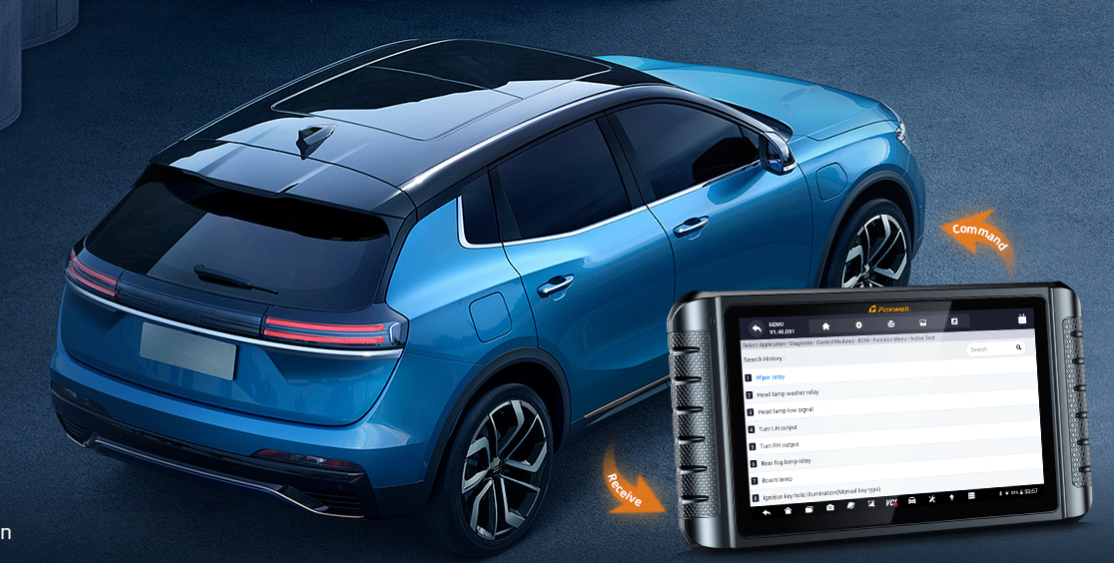
It can read/clear DTCs, display live data streams, perform active tests (bi-directional control), and access manufacturer-specific systems such as ABS, SRS, transmission, and BCM.
Can it replace dealer-level diagnostic tools?
When performing full-system scans, bidirectional testing, and over 30 routine maintenance functions (such as ABS bleeding and SAS calibration), the NT1009 delivers dealer-level performance. It supports routine repair and diagnostic tasks.
Key limitation: It does not support online ECU programming (flashing/programming). If your task involves rewriting the firmware after replacing a module with a new one, you will still need to use OEM-specific tools.
Vehicle Compatibility
What vehicles are compatible with NT1009?
- All mainstream gasoline, diesel, hybrid, and fully electric vehicles (including Tesla).
- US, European, and Asian manufacturers: Ford, GM, Chrysler, Dodge, Jeep, Alfa Romeo, Fiat (2018+ with FCA SGW support); VW, Audi, BMW, Mercedes‑Benz, Porsche, Skoda, SEAT; Toyota, Honda, Nissan, Hyundai, Kia, and more.
- Latest protocols: CAN‑FD, DoIP, KWP, and standard OBD2.
- Cars, SUVs, minivans, and light‑duty trucks.
How many vehicle brands and models does it support?
Does it support luxury brands like Maserati?
The Foxwell NT1009 features a diagnostic database for ultra-luxury brands such as Maserati.
This tool covers over 100,000 vehicle models worldwide, including comprehensive system diagnostics for European luxury vehicles.
However, for specific programming functions in ultra-luxury brands (such as air suspension calibration or new key programming), compatibility varies significantly depending on the model year.
Users should provide the VIN to verify authorization for specific actuator testing.
Does it support older OBD1 vehicles?
Limited support.
NT1009 is built for 1996+ OBD2 vehicles only. Most older OBD1 models require separate manufacturer adapters and offer partial functions at best.
Core Diagnostic Functions
What is bi-directional control and how is it used?
Bi‑directional active tests trigger vehicle components directly (fans, injectors, valves, etc.), letting you verify faults without disassembly, avoid unnecessary parts replacement, and speed up diagnosis.
Can NT1009 perform advanced diagnostic procedures (e.g., relearn, calibration)?
Yes. The NT1009 supports professional-grade advanced diagnostic functions used in real workshop scenarios.
Key capabilities include:
- Relearn & calibration: sensor relearn, throttle/body adaptation, steering angle reset
- Coding & matching: injector coding, IMMO key matching, ECU offline coding
- System adaptation: transmission adaptation and other module recalibrations
- Service functions: 38+ reset services covering maintenance and repair needs
These features help technicians complete complex repairs faster and more accurately, reducing manual trial-and-error.
Advanced Features
Does NT1009 support ECU coding? What can it do?
Key programming on the NT1009 is a "vehicle-specific" function rather than a universal one.
- Protocol Dependency: The capability depends entirely on the openness of the vehicle's Immobilizer (IMMO) protocol. For key recognition issues, it is also important to understand the difference between immobilizer reset and relearn and full key programming.
- Regional Support: The NT1009 offers robust support for many older Japanese and American models. However, for modern European vehicles equipped with complex encryption and high-security anti-theft systems, support may be limited.
- Pro Tip: To confirm if you can add keys, reset remote controls, or perform key matching, we strongly recommend providing your 17-digit VIN code to our technical support for a compatibility check before purchase.
Does NT1009 support topology mapping? How does it accelerate the speed of fault diagnosis?
Yes. This function presents all vehicle control modules in a visual tree structure, enabling technicians to easily identify communication faults on the CAN bus at a glance.
Does NT1009 support key programming (IMMO functions)?
Performance & Hardware
What hardware does NT1009 use (screen, OS, storage)?
- Display: 10.1‑inch high-definition touch screen for clear topology graphs and easy operation
- System: Android 9.0 OS for smooth navigation and fast response
- Memory & Storage: 2GB RAM + 64GB built‑in storage for saving data, reports and vehicle files
- Battery: 8000mAh large-capacity battery for long working hours outdoors
- Connection: Wireless VCI for stable, flexible vehicle communication
Is NT1009 wireless or wired?
NT1009 uses a wireless VCI (Vehicle Communication Interface).
The tablet connects to the vehicle via a Bluetooth/Wi-Fi-enabled diagnostic connector, allowing technicians to perform diagnostics without being physically tethered to the vehicle. This improves mobility and convenience, especially in workshop environments.
However, initial setup and certain functions may still involve wired connections depending on vehicle requirements.
How is the speed and user experience?
Foxwell NT1009 is designed with a dedicated diagnostic OS and optimized ECU communication protocols, resulting in fast system scanning and responsive menu navigation.
Users frequently highlight quick boot time, fast VIN recognition, and smooth UI interaction.
Is VIN auto-detection reliable?
VIN auto-detection uses ECU broadcast data to identify the vehicle, but it may require manual confirmation or additional selections in certain cases (e.g., GM vehicles with RPO configurations).
Does the NT1009 handle complex advanced diagnostic tasks, such as crankshaft position sensor relearning?
Real-World Usage
How is NT1009 used in real diagnostic workflows?
NT1009 is typically used in a step-by-step diagnostic workflow commonly followed by technicians:
- Vehicle Identification
Automatically or manually identify the vehicle via VIN or manual selection
- Full System Scan
Perform an automatic scan across all available modules to detect fault codes
- DTC Analysis
Read and interpret diagnostic trouble codes (DTCs) from engine, transmission, ABS, SRS, and other systems
- Live Data Monitoring
View real-time sensor data to analyze vehicle behavior under different conditions
- Active Tests (Bi-directional Control)
Send commands to components such as fuel pumps, fans, injectors, etc., to verify functionality
- Repair & Reset Services
Perform maintenance functions such as oil reset, EPB, SAS calibration, DPF regeneration, injector coding, etc.
- Verification & Report Generation
Re-scan the system and confirm that issues are resolved
This workflow makes NT1009 suitable for both diagnostics and post-repair verification in professional environments.
Is it suitable for DIY users or professionals?
Foxwell NT1009 is a multi-system diagnostic tool suitable for advanced DIY users and professionals. However, the actual application situation indicates that the value level for these two groups of people varies.
- For DIY users
Clearing the engine light
Performing maintenance reset (oil reset)
TPMS reset
Troubleshooting common issues like misfire
Many users initially purchased it only for these basic needs, but in actual use, they gradually expand to more in-depth diagnostics, such as using data streams or simple tests to identify the source of the problem instead of directly replacing parts.
- For technicians or experienced users:
Greater emphasis is placed on bi-directional control (active testing)
Direct triggering of actuators (such as fuel injectors, fans, etc.) can be used to verify the normal operation of components
This is used to improve diagnostic efficiency, reduce misjudgments and repetitive disassembly and assembly
Can it handle complex diagnostics (e.g., misfire diagnosis, sensor relearn)?
Limitations & Restrictions
Why are some functions limited on 2018+ vehicles (Jeep, Ram, etc.)?
2018+ FCA (Jeep/Ram) use a secure gateway that blocks OBD access to advanced functions. Full access requires a 12+8 adapter or dealer-level authorization.
Do I need an FCA SGW adapter to unlock full functions?
Does NT1009 support online ECU programming (flashing)?
It supports offline ECU coding & adaptation for module matching and hidden functions, but not OEM online flashing. Availability varies by vehicle.
Are all features available on every vehicle?
Updates & Long-Term Use
Are updates free? How long do they last?
Yes. The NT1009 includes 3 years of free Wi-Fi updates starting from activation.
These updates cover:
- New vehicle models (including latest releases up to 2025)
- Expanded EV/NEV system support
- Updated ECU databases and functions
After the free period, updates are optional and available as paid subscriptions:
- $360 / 1 year
- $600 / 2 years
- $800 / 3 years
Important: The tool does not require a subscription to keep working.
Will the NT1009 stop working after updates expire?
No. All existing diagnosis, coding, reset and bi-directional functions remain fully usable forever after the free period ends. Updates only unlock newer vehicle coverage.
Is updating necessary for my use case?
Updating is optional but recommended if you work on newer vehicles.
If you primarily service vehicles released within your current software version, the tool remains 100% functional. However, updating is necessary to access new vehicle models (up to 2025), new EV/NEV database additions, and potential optimizations for the Android 9.0 OS.
Setup & Ownership
Does the Foxwell NT1009 require a complex activation process?
No. The Foxwell NT1009 is designed for an out-of-the-box experience, with the vast majority of units pre-activated at the factory for immediate use.
- Plug-and-Play: Most users can start diagnosing vehicles as soon as they unbox the device without any manual activation.
- Simple Wi-Fi Sync: If prompted upon first power-up, simply connect to Wi-Fi and log in to your Foxwell account. The system will automatically synchronize your subscription and software.
- No Technical Barriers: There is no cumbersome registration process required. This streamlined setup ensures that even first-time users can access full diagnostic functions within minutes.
Why does my device show as already activated?
What accessories are included, and is the case sufficient?
The Foxwell NT1009 is usually equipped with a protective carrying case for storing the scanner and its necessary accessories.
This storage box has a compartmentalized structure and can be used to hold:
- Host device
- Connection cable
- Basic accessories (such as charging cable, manual, etc.)
In actual use:
- Most standard accessories can be neatly stored.
- For additional adapters or more attachments, additional space management may be required.
The main function of this storage box is to provide basic protection and portability, rather than offering fully customized storage for all expansion accessories.
For users who frequently travel, it can effectively reduce the risk of equipment damage during transportation, but the storage capacity depends on the specific number of accessories.
Recommended Ending
For most workshops and advanced DIY users, the NT1009 strikes a strong balance between capability, usability, and cost—making it a practical choice for modern vehicle diagnostics.
That said, it’s important to understand its limitations, especially when working with newer vehicles that use security gateways or when advanced programming (flashing) is required.
If you are still confused about the NT1009, please send an email to support@foxwelldiag.com. We will get back to you as soon as possible.

Leave a comment
This site is protected by hCaptcha and the hCaptcha Privacy Policy and Terms of Service apply.