

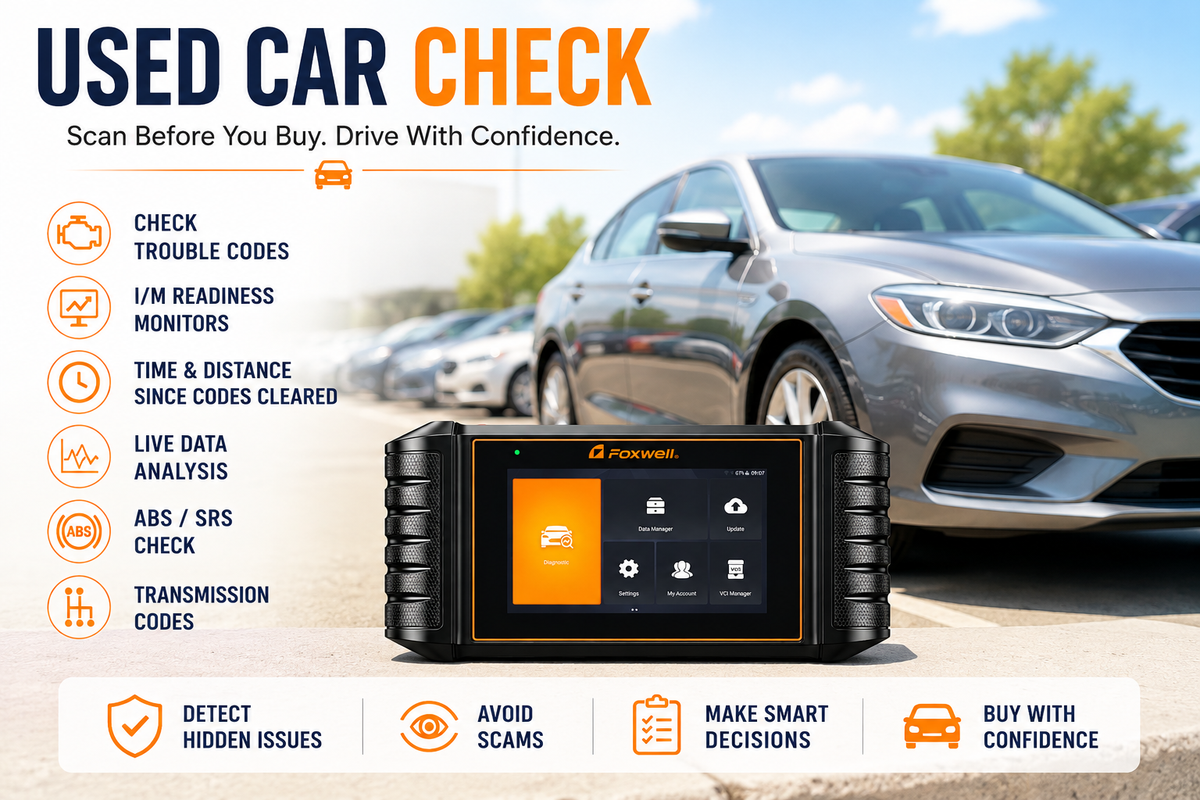
Buying a used car can feel like navigating a minefield. You inspect the exterior, test drive it around the block, and check the interior condition, but the most expensive potential repairs — a failing transmission, a bad catalytic converter, or a compromised airbag system — remain hidden under the hood.
A common trick among unscrupulous sellers and shady dealerships is simple: clear the Check Engine Light (CEL) code right before a buyer arrives. The warning light stays off long enough for a quick test drive, only to pop back on days after you sign the paperwork.
Plugging in an OBD2 scanner before buying a used vehicle is one of the most effective, low-cost ways to protect yourself from this kind of scam. This guide covers how to run a pre-purchase diagnostic scan step by step, how to tell if a seller recently cleared the codes, and what a basic scanner can and can't check.
Step 1: Plug In at Key-On, Engine-Off (KOEO)
Before you even turn the key to crank the engine, locate the car's OBD2 port. Typically underneath the driver's side dashboard, near the steering column, or close to the center console.
- Turn the ignition key to the ON position without starting the engine (Key-On, Engine-Off mode).
- Connect your OBD2 scanner to the port.
- Run a quick preliminary scan to check for two distinct types of Diagnostic Trouble Codes (DTCs):
- Stored Codes — active faults that have already illuminated the Check Engine Light.
- Pending Codes — intermittent or early-stage issues detected by the engine control module (ECM) that haven't yet met the full criteria to trigger the dash light.
Related reading:Can a Car Throw Codes Without a Check Engine Light?
Step 2: Check I/M Readiness Monitors
If a seller says, “Look — no Check Engine Light and zero codes stored!” don't take their word for it. They may have cleared the codes shortly before you arrived, or disconnected the battery to reset everything.
To check this, navigate to your scanner's I/M Readiness (Inspection/Maintenance) screen. A typical result looks like this:
|
Monitor Type |
Status |
|
Misfire Monitor |
Ready / Complete |
|
Fuel System Monitor |
Ready / Complete |
|
Comprehensive Component (CCM) |
Ready / Complete |
|
Catalyst Monitor (CAT) |
NOT READY / INCOMPLETE — flag this |
|
Evaporative System (EVAP) |
NOT READY / INCOMPLETE — flag this |
|
Oxygen Sensor Monitor (O2) |
NOT READY / INCOMPLETE — flag this |
What “Not Ready” Means
When a vehicle runs normally, its computer continuously performs self-diagnostic tests across various emissions systems (Catalyst, EVAP, O2 Sensors, and others). Once a test completes, that monitor's status flips to “Ready” or “Complete.”
When someone clears diagnostic trouble codes or disconnects the battery, every I/M Readiness Monitor resets to “Not Ready” or “Incomplete.” It then takes a specific pattern of driving — known as a Drive Cycle — for the ECU to re-run those tests and mark them Ready again. How long that takes varies by vehicle, driving style, and road conditions, so a quick lap around the block is often not enough to complete it.
The red flag: if you scan a used car and see several monitors marked “Not Ready,” that's a reasonable sign the seller cleared trouble codes recently — not proof on its own, but a strong reason to look closer.
Don't accept excuses like “it was sitting for a week” or “we just swapped the battery.” Insist on a longer test drive, or walk away until the monitors have had a chance to complete their self-tests.
Related reading:How to Use an OBD2 Scanner to Check Smog Readiness
How to Tell If a Seller Recently Cleared the Check Engine Codes
This is the question most buyers actually care about, and it doesn't come down to any single check. Combine the following signals instead of relying on just one:
- Check stored codes — note whether any are currently active.
- Check pending codes — these often appear before a fault is serious enough to trigger the dash light.
- Check I/M readiness status — multiple “Not Ready” monitors is the clearest indirect sign of a recent reset.
- Check distance and time since codes were cleared — look at Live Data PID $31 (Distance Since Codes Cleared) and PID $4E (Time Since Codes Cleared), if your scanner supports them.
- Drive the car — a proper test drive gives the ECU a chance to run its self-tests and gives you a chance to notice anything the seller didn't.
- Rescan after the drive — compare the results to your initial scan.
- Look for new pending codes — these can surface after only a short drive, even before the Check Engine Light itself returns.
A very low distance or time since codes were cleared — especially alongside several incomplete readiness monitors — is a stronger warning sign than either signal on its own. There is no universal mileage or time threshold that proves exactly when a reset happened; treat this data as one more piece of evidence to weigh, not a stand-alone test.
Step 3: Monitor Live Data During the Test Drive
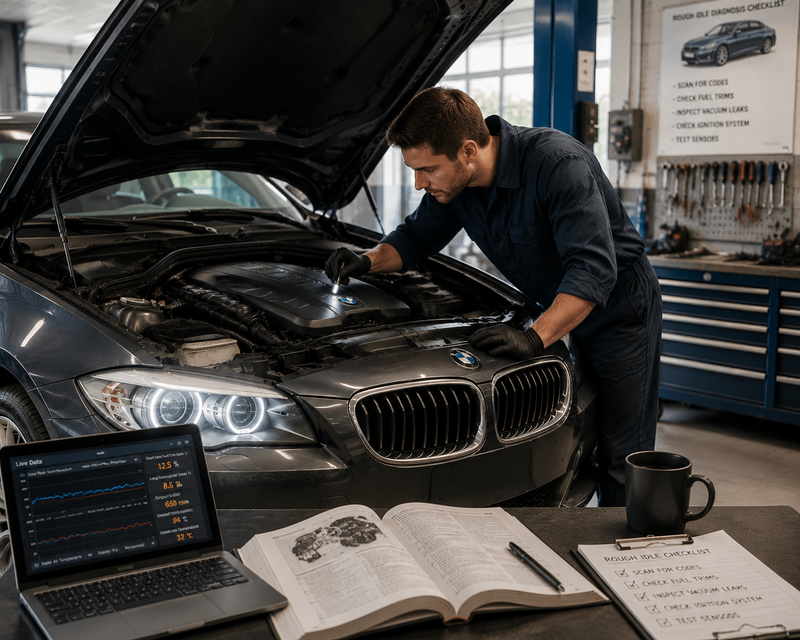
Start the engine and leave the scanner plugged in while taking the vehicle for a 15–20 minute test drive that combines city streets and highway speeds. Watch these real-time parameters — as diagnostic clues rather than fixed pass/fail lines, since normal ranges vary by vehicle, load, and driving conditions:
- Engine Coolant Temperature (ECT)
The engine should reach and hold a normal operating temperature. Some sellers warm the engine up beforehand to mask cold-start knocks or blue smoke on startup, so it's worth asking to see the car cold if possible.
Combined values within roughly ±10% are commonly considered normal, though the acceptable range varies by engine and driving conditions. Persistently high positive trims can point to a vacuum leak, a dirty mass airflow sensor, or weak injectors; persistently negative trims can suggest rich-running conditions. Treat fuel trim as a clue worth investigating further, not a fixed cutoff.
- Oxygen (O2) Sensor Voltages
Downstream O2 sensor behavior should generally look stable and slow-moving compared to the more active upstream sensor. Exact voltage ranges and switching patterns vary by vehicle and sensor type, so treat rapid or upstream-like activity downstream as a reason to investigate further. For example with a catalyst efficiency test — rather than a standalone diagnosis of a failing catalytic converter.
Step 4: Post-Test-Drive Rescan & Full-System Health Check
After the drive, park with the engine running and run one final scan:
- Check for new pending codes
If a seller cleared a fault shortly before your visit, continued driving can sometimes surface a new pending code before the Check Engine Light itself returns. There's no fixed distance that guarantees this, so a clean scan after a short drive doesn't rule out a hidden issue.
- Scan ABS, airbag, and transmission modules if your tool supports it
Basic OBD2 protocol only covers emissions-related engine codes. Safety-critical systems (anti-lock brakes, SRS airbags, automatic transmission) communicate over separate, manufacturer-specific protocols and need a full-system scanner to check.
What a Basic OBD2 Scanner Can and Can't Check
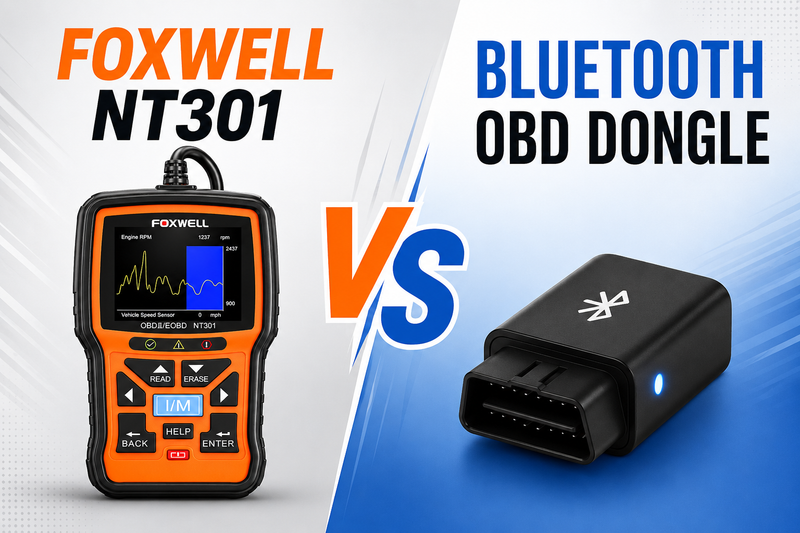
A common piece of advice in car forums is to “just bring a cheap Bluetooth dongle to take car shopping.” That's better than nothing, but it's worth knowing the blind spots before you rely on one especially the checks that matter most for catching a cleared-code scam:
|
Feature / System Check |
Basic OBD2 Code Reader |
Foxwell Diagnostic Tools |
|
Engine Check Light (P-Codes) |
Read & Clear |
Read, Clear & Deep Analysis |
|
I/M Readiness Status |
Basic Text List |
One-Click I/M Hotkey / Visual LEDs |
|
Distance / Time Since Codes Cleared |
Rare / Unsupported |
Supported (Live Data PID $31 / $4E) |
|
ABS / SRS Airbag Diagnostics |
No |
Yes (on full-system models) |
|
Transmission Fault Codes |
No |
Yes (on full-system models) |
|
Battery & Charging System Test |
No |
Yes (Cranking & Alternator Voltage) |
Common Misconceptions to Avoid
1.“No Check Engine Light means the car is perfectly safe.”
Fact: the Check Engine Light only covers emissions-related engine issues. A dead ABS pump, a faulty airbag module, or a failing transmission torque converter will not turn on the standard Check Engine Light.
2.“A basic scanner checks the whole car.”
Fact: basic OBD2 tools only talk to the engine control unit (ECU). To assess overall vehicle health you need a tool that can also read manufacturer-specific codes — B-codes (Body), C-codes (Chassis), and U-codes (Network) — which requires full-system coverage, not a generic code reader.
3.“Plugging in a diagnostic tool can damage the car's computer.”
Fact: standard OBD2 ports operate in a read-only request mode during a normal scan. A code reader or scan tool cannot damage the vehicle's onboard computers just by reading data.
Matching Your Inspection Goal to the Right Scanner
Not every buyer needs the same tool. Start with what you actually want to check:
|
Your Inspection Goal |
Scanner Capability Needed |
|
Check engine codes |
Basic OBD2 scanner |
|
Check readiness monitors |
OBD2 scanner with I/M readiness |
|
Check transmission |
Full-system scanner |
|
Run active / bidirectional tests |
Bidirectional scanner |
Foxwell models that support these functions include:
Foxwell NT301 — covers basic engine codes, I/M readiness, and a 12V battery/charging test. A good fit if your checklist is limited to engine codes and readiness monitors. Note: this model does not read ABS, SRS, or transmission codes.
Foxwell NT530 / NT710 — brand-specific, factory-level scanners for makes like BMW, VAG, Toyota, and Ford. A good fit if you also want ABS, SRS, and transmission access on a specific brand.
Foxwell NT809 — a full-system, bidirectional scanner covering engine, transmission, ABS, and airbag systems in one pass, with active component tests and a printable report. A good fit for the most thorough pre-purchase check.
Pre-Purchase Inspection Checklist
Before signing any contract or handing over cash for a used car:
Scan cold at KOEO — check for stored and pending engine codes.
Verify I/M Monitors — note how many show “Ready” versus “Not Ready.”
Check cleared distance / time — look at PID $31 / $4E if supported.
Test drive with live data running — watch coolant temperature, fuel trims, and O2 voltages as clues, not fixed thresholds.
Rescan after the drive — run a full system scan (engine, transmission, ABS, SRS) to catch anything new.
Pair it with a mechanical inspection — an OBD2 scan doesn't replace an independent mechanic's check of tires, brakes, suspension, and body condition.
Frequently Asked Questions
1.Can you use an OBD2 scanner when buying a used car?
Yes. An OBD2 scanner can help you check for stored and pending trouble codes, incomplete I/M readiness monitors, and other diagnostic data before buying a used car. For a more complete inspection, use a full-system scanner that can also check systems such as ABS, SRS, and transmission.
2.Can An ODB2 scanner will pick up and clear all codes?
No. A basic OBD2 scanner can read and clear many engine-related trouble codes, but it cannot access every code or vehicle system. Codes from ABS, SRS, transmission, body, or other manufacturer-specific modules may require a full-system diagnostic scanner.
3.Is this possible to tell if someone cleared a ODB2 code before selling me a used car?
Yes, but not with certainty. Check the I/M readiness monitors, pending codes, and available distance/time-since-cleared data. Several incomplete monitors combined with recently cleared-code data can be a strong warning sign, but no single scan result can prove exactly when or why the codes were cleared.
You May Also Like
1.How to Use Car Trouble Code Reader
2.Obd2 Scanner That Reads Transmission Codes
3.How to Read OBD2 Live Data (Normal Readings, Abbreviations & Diagnostic Guide

Leave a comment
This site is protected by hCaptcha and the hCaptcha Privacy Policy and Terms of Service apply.