

Introduction
Anyone whose check-engine light won't turn off eventually faces a familiar choice: a dedicated handheld code reader like the Foxwell NT301, or a Bluetooth OBD2 dongle that connects to a smartphone app. That exact question has come up among DIY drivers in a recent Reddit discussion comparing the Foxwell NT301 with a Bluetooth OBD dongle, where a low-cost Bluetooth adapter was being weighed against a dedicated handheld scanner.
The two approaches use the same vehicle OBD2 port, but they provide a very different diagnostic experience. A handheld scanner keeps the display, controls, and core functions in one device, while a Bluetooth adapter relies on a phone and companion app for the interface and additional features. The better choice depends on what you value most, from simple code reading and reliable setup to live-data monitoring, app-based reports, and portability. This guide compares the Foxwell NT301 and Bluetooth OBD2 dongles in terms of hardware, functionality, ease of use, connection stability, and everyday practicality.
Hardware and Design
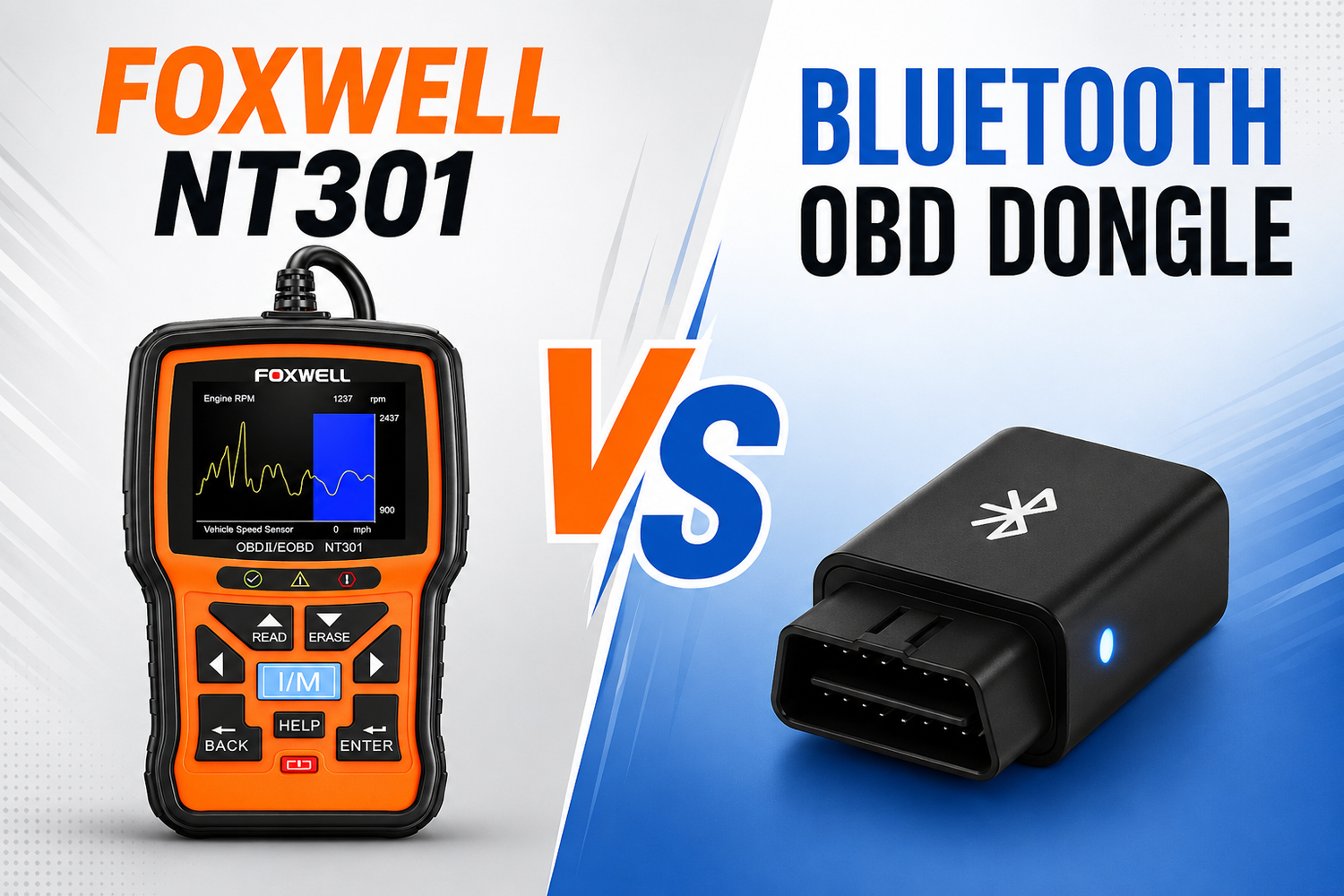
Foxwell NT301: a self-contained handheld unit: a small backlit color screen, a handful of navigation buttons, and a coiled OBD2 cable that plugs into the vehicle’s 16-pin port. There’s nothing else to carry or charge — the scanner itself is the display.
Bluetooth OBD dongle: It’s typically a compact plug, sometimes barely bigger than a USB stick, that seats directly in the OBD2 port and draws power from the car. It has no screen of its own; all the reading, graphing, and code lookup happens on a paired smartphone or tablet app. That makes the dongle itself nearly disposable in size, but it also means the hardware is only half the tool — the app is the other half.
Related Reading: What Tasks Can Be Done by an OBD2 Scanner?
Functionality and Software
Foxwell NT301: Out of the box, the NT301 reads and clears generic OBD2 trouble codes and supports additional manufacturer-specific codes depending on the vehicle, shows live sensor data in text or graph form, checks emissions/I-M readiness, and includes an on-screen DTC lookup library, so a driver can see what a code means without needing a second device.
Bluetooth dongles: depend entirely on their companion app for functionality, and that’s where they can pull ahead or fall behind. BlueDriver, for example, adds enhanced diagnostics for ABS, SRS, and other modules that basic wired readers typically can’t reach, plus a repair-report feature. FIXD focuses on plain-English explanations and optional subscription features like AI-assisted repair cost estimates. Cheaper generic dongles paired with free apps such as Torque or Car Scanner can do basic code reading but vary widely in accuracy and update frequency.
Related Reading: How to Clear OBD2 Codes with a Scanner
Ease of Use
The Foxwell NT301’s appeal on forums is largely about simplicity: plug it in, turn the key to “On,” and read the codes directly on the unit — no app download, account, or pairing step required. That self-contained workflow is a common reason it gets recommended to first-time buyers.
Bluetooth dongles add an extra layer: install the app, grant Bluetooth permissions, pair the device, and then navigate the interface. Once set up, many users find the phone-based experience more pleasant for browsing live data or saved history, but the initial pairing step is also the most common point of frustration reported in troubleshooting threads, especially after a phone OS update breaks a previously working pairing.
Reliability and Connection Stability
Because the foxwell NT301 connects over a physical cable, there’s no wireless handshake to fail — if it’s plugged in and the ignition is on, it reads. Wired connections are generally the more consistent option for a quick, no-drama scan.
Bluetooth OBD dongles depend on the phone’s Bluetooth stack, the app staying updated, and sometimes the vehicle’s own electrical system. Automotive forum users have reported that certain vehicles won’t respond to remote lock/unlock while a Bluetooth OBD adapter is connected, and that some dongles can prevent a car’s electrical system from entering sleep mode, which ties into the plugged-in battery drain question covered below.
Portability
A dongle wins on size — it can live in the port permanently and is easy to forget is even there. The Foxwell NT301 is still pocket-sized but is a dedicated tool you’ll usually store in a glovebox or toolbox and pull out only when needed, which some owners actually prefer since it avoids leaving anything connected between uses.
FOXWELL NT301 vs Bluetooth OBD Dongle: Key Differences
| Feature | FOXWELL NT301 | Bluetooth OBD Dongle |
|---|---|---|
| Connection | Wired OBD2 cable | Bluetooth |
| Display | Built-in screen | Smartphone required |
| App required | No | Yes |
| Setup | Plug and play | Pairing required |
| Stability | High | Depends on connection |
| Portability | Medium | High |
| Live data | Built-in | App dependent |
| Beginner friendly | High | Depends on app |
Which One Should You Choose?
The better choice depends on what you need from an OBD2 diagnostic tool.
Choose FOXWELL NT301 If You Want:
- A quick and reliable way to read and clear check engine codes
- A simple diagnostic experience without dealing with apps
- No app subscription fees or Bluetooth pairing issues
- An all-in-one handheld scanner with a lower-friction setup
This is why the NT301 is often recommended for beginners who want a straightforward OBD2 diagnostic solution.
|
|

Choose a Bluetooth OBD Dongle If You Need:
- Deeper vehicle data and monitoring features
- Repair guidance or enhanced diagnostic functions
- Broader module coverage, such as ABS, SRS, and TPMS (depending on the device)
- The ability to track multiple vehicles from a single smartphone
For these needs, reputable Bluetooth adapters like BlueDriver or OBDLink may be worth the additional setup process.
Be Cautious With Ultra-Cheap Bluetooth Dongles
Low-cost unbranded Bluetooth adapters can vary significantly in:
- App quality
- Software support
- Update availability
- Overall reliability
Choosing a reputable brand can help avoid these limitations.
Related Reading: How to Choose the Right OBD-II Scanner: A Beginner’s Guide
Conclusion
Both tools plug into the same OBD2 port and read the same underlying trouble codes — the real difference is where that information shows up and how much extra software sits between you and the answer. The Foxwell NT301 keeps the process self-contained and simple, while a Bluetooth dongle trades that simplicity for phone-based convenience and, with the right app, more advanced reporting. Either one is a reasonable first scanner; the right pick just depends on whether you’d rather read codes on a dedicated screen or on the phone that’s already in your pocket.
FAQ
1. Which is better, a Bluetooth OBD2 scanner or a wired OBD2 scanner?
Neither is better overall — it depends on your priority. Wired readers like the NT301 are more consistent since there's no pairing to fail. Bluetooth scanners offer a bigger screen (your phone) and app-based repair reports, at the cost of needing a stable connection.
2. Is it okay to leave an OBD2 scanner plugged in while driving?
Yes, for a single drive. Most scanners draw very little power. The risk is long-term parking — some vehicles won't enter sleep mode with a device plugged in, which can drain the battery over days or weeks. Unplug it if the car will sit unused.
3. Do you have to turn the car completely on to use an OBD2 scanner?
No. Turning the ignition to "On" (without starting the engine) powers the OBD2 system enough to read or clear codes. You only need the engine running for live, real-time data like RPM or fuel trims.
You May Also Like
1.What Is a Car Diagnostic Scanner?
2.How to Use an OBD2 Scanner to Check Smog Readiness
3.How to Read OBD2 Live Data (Normal Readings, Abbreviations & Diagnostic Guide)


Leave a comment
This site is protected by hCaptcha and the hCaptcha Privacy Policy and Terms of Service apply.