

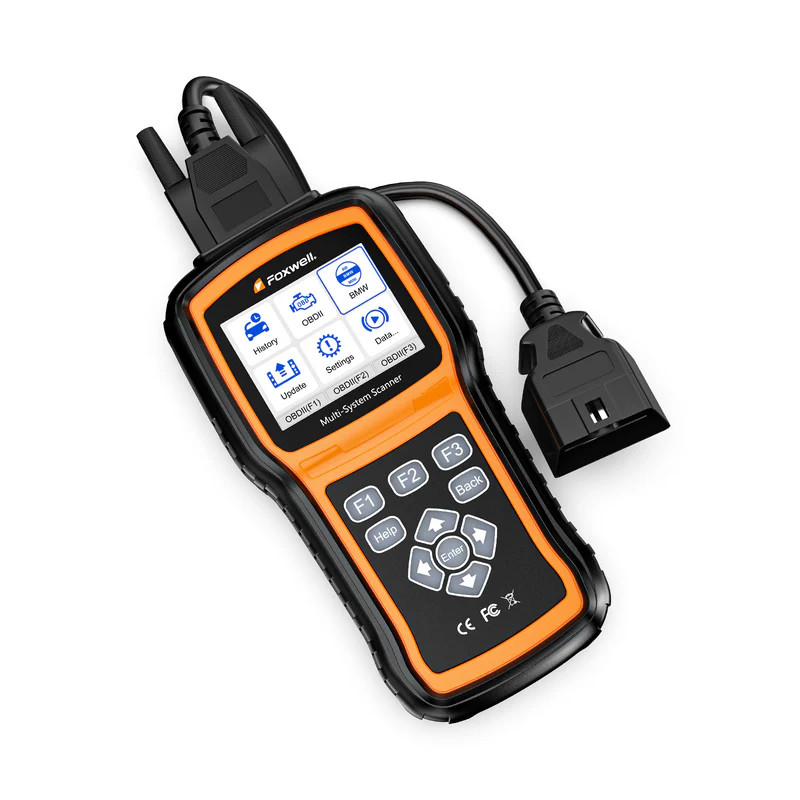
Keeping your Foxwell NT530 Plus updated ensures you always have access to the latest vehicle coverage, bug fixes, and diagnostics.
In this guide, we'll focus on updating your NT530 Plus via WiFi and briefly explain how to update older versions of the NT530, for the convenience of different users.
Does the NT530 Plus support WiFi updates?
Yes—the NT530 Plus supports WiFi updates.
You can complete all updates directly on the device without connecting to a computer or removing the SD card.
Key advantages of WiFi updates:
- No data cable or SD card required
- Faster and more convenient
- Update anytime, anywhere
- Better suited for frequent daily use
How to update your Foxwell NT530 Plus via WiFi?
Step1: Turn on your NT530 Plus
Step 2: Connect to a WiFi network

Step 3: Go to the "Update" menu

Step 4: Select the required software for upgrade

Step 5: Click "Update" and wait for completion

Once complete, the device will automatically install the latest software.
Friendly Reminder: New devices do not require registration; they come pre-installed with a default Foxwell account. You can log in online at any time and change to your own account.
How to Update Older Versions of NT530
For earlier Foxwell NT530 models, the update method is slightly different.
This version does not support WiFi and requires a computer to complete the update.
Required Items:
- A Windows PC
- An SD card reader
- Foxwell update software (FoxAssist)
Brief Steps:
- Download and install FoxAssist on your PC
- Insert the scanner's SD card into your PC
- Open FoxAssist and log in/register an account
- Click "Update"
- Select available software
- Wait for download and installation
For update details, please read: How to Update NT530
How to Determine if Your Device is a WiFi Version
If you are unsure whether your device supports WiFi, you can determine it by the model prefix:
- New WiFi Version (NT530 PLUS)
Starts with L530 / L510
- Older PC Version (NT530)
Starts with N530 / N053
Frequently Asked Update Questions
Do I need to update regularly?
Yes. Updates include:
- Added vehicle model support
- Fixed known issues
- Optimized diagnostic functions
Is the NT530 PLUS update free?
Yes — the NT530 PLUS offers lifetime free updates (for purchased software). With just an internet connection, you can permanently access the latest bug fixes, vehicle parameter updates, and diagnostic upgrades, without an annual subscription.
In addition, it comes with a 1-year warranty and long-term customer technical support.
What if my NT530 PLUS update fails?
- Check your Wi-Fi connection
- Ensure a stable network connection
- Restart the device and try again
Pro Tip: Regular updates ensure your NT530 Plus can:
- Expand vehicle coverage
- Add service features
- Avoid compatibility issues
- Fix bugs and improve performance
If you rely on the scanner for DIY repairs or professional work, keeping it updated is crucial.
Can I add software from other brands to my NT530 Plus?
Yes. The NT530 Plus comes with one branded software by default and supports expansion:
- Supports up to 5 brands
- Other brands require separate purchase
- Updates do not automatically add brands.
If your car brand is not listed, you can send your device serial number to Foxwell's customer support department (support@foxwelldiag.com) so we can replace or customize matching software.
Will updating add more vehicle brands for free?
No. Updating your device will not unlock other vehicle brands.
Your device includes one free branded software.
Other brands require separate purchase.
What is the difference between the NT530 and NT530 Plus?
The NT530 Plus is an upgraded version of the NT530. Both are essentially identical in diagnostic capabilities, but:
- NT530 Plus → Supports WiFi updates, making it more convenient
- NT530 → Requires updates via computer
The core difference lies in the user experience, not the functionality itself.
Conclusion
The Foxwell NT530 Plus, with its WiFi-enabled updates, significantly enhances ease of use, making device maintenance easier and more efficient.
If you are using the NT530 Plus, we recommend keeping it updated regularly for the best diagnostic experience and the latest vehicle support.
Recommended reading:
Foxwell Scanner NT530 Plus FAQs: Everything You Want To Know



Leave a comment
This site is protected by hCaptcha and the hCaptcha Privacy Policy and Terms of Service apply.